> For the complete documentation index, see [llms.txt](https://alphanet-doc.phoenix.global/llms.txt). Markdown versions of documentation pages are available by appending `.md` to page URLs; this page is available as [Markdown](https://alphanet-doc.phoenix.global/regime.md).
# Regime
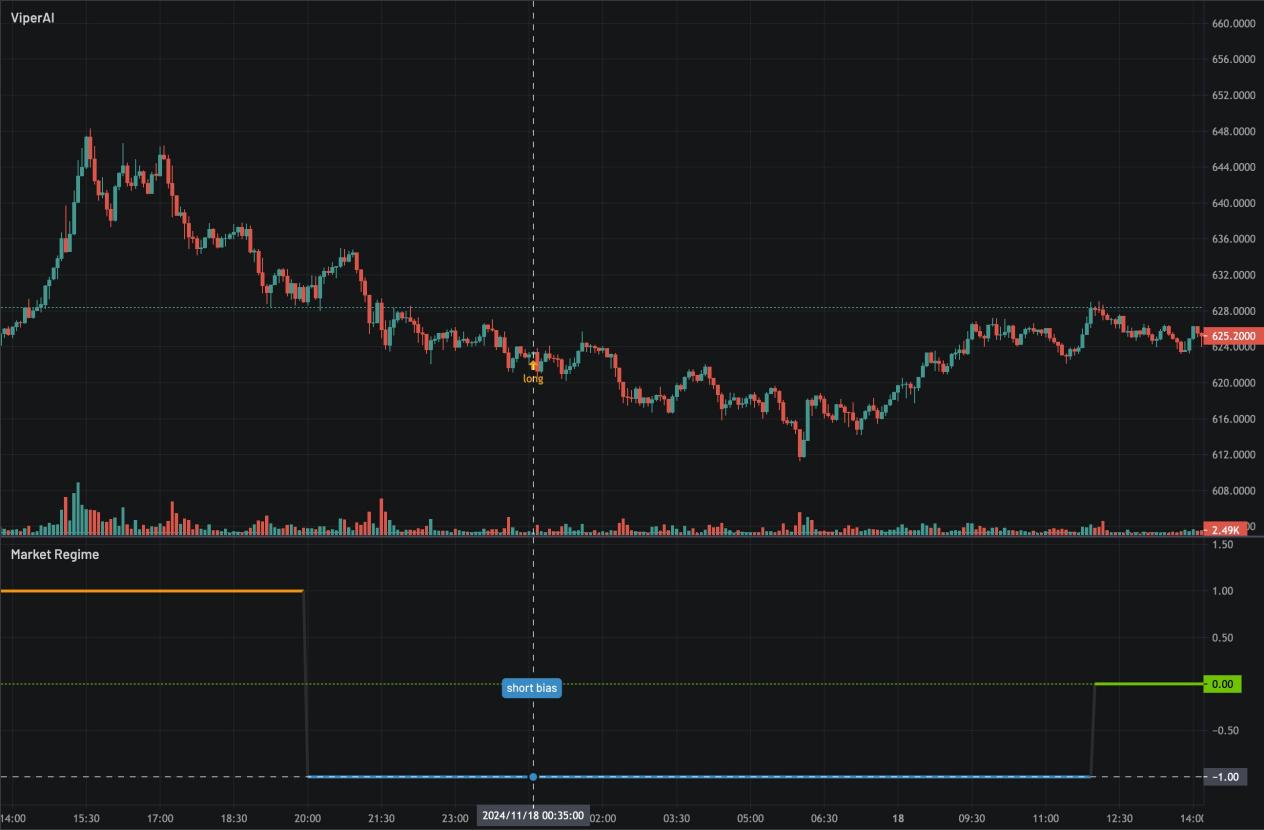
Regime is an advanced market forecasting tool built upon the Viper AI strategy framework. By performing deep factor analysis on tens of thousands of individual factors within each strategy, Regime captures nuanced insights that help users navigate shifting market conditions. This forecaster categorizes the market into three primary states: *long bias*, *short bias*, and *neutral*, each reflecting a unique market environment and investor sentiment. By leveraging both the predictive signals generated by Viper AI and the dynamic market states identified by Regime, users can make informed adjustments to their trading positions. This dual-layered approach enables users to optimize exposure, manage risk more effectively, and strategically align their trades with prevailing market trends.
### **Example**
If Regime indicates a *long bias* and the Viper AI signal is also *long*, this suggests a strong bullish trend. Conversely, if the signal is *short* and Regime shows a *short bias*, this points to a robust bearish trend. When the signal and Regime indicate opposite directions, it may imply that the current trend is weakening. Finally, if Regime shows a *neutral* state, it suggests a lack of a clear trend in the market.
#### Long bias
Long bias
#### Short bias
Short bias
#### Weak Trend
Weak Trend
By interpreting these combinations, users can gain a clearer view of market strength and adjust their positions more precisely in line with the prevailing or emerging trends.